

Shop
  • SHOP THE TRANSITION 2026 COLLECTION: ROUGHNECK RODEO

  • apparel
  • Add description, images, menus and links to your mega menu

  • A column with no settings can be used as a spacer

  • Link to your collections, sales and even external links

  • Add up to five columns

  • Add description, images, menus and links to your mega menu

  • A column with no settings can be used as a spacer

  • Link to your collections, sales and even external links

  • Add up to five columns

  • August 06, 2026 1 min read

    Want one more way to fit some fashion into your life? Let’s get that phone screen Roughneck Rodeo ready!
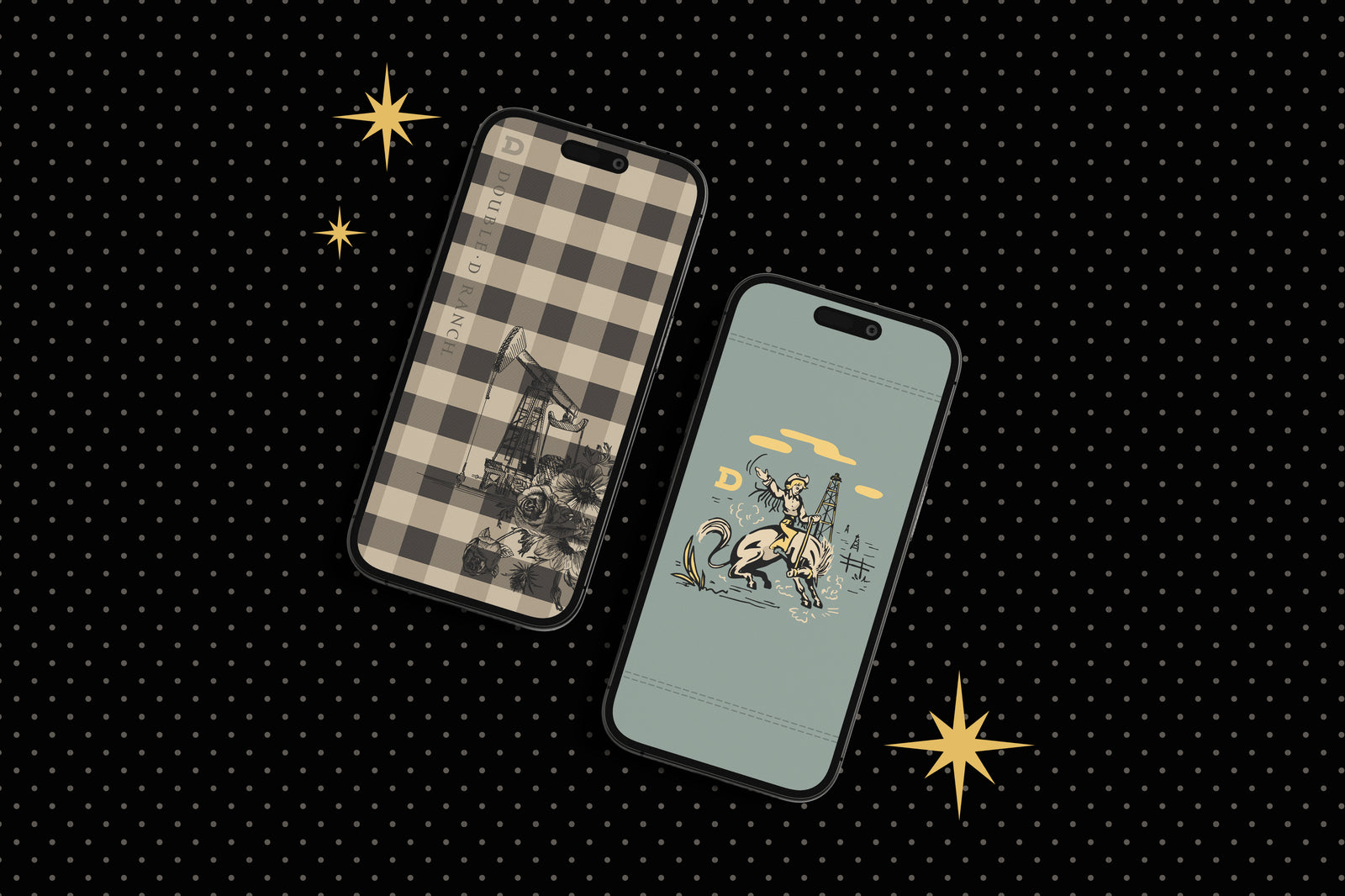
    Double D Ranch, Roughneck Rodeo Collection phone backgrounds.

    Thanks to our talented team of graphic designers (and the creative minds that came up with it), we are thrilled to announce the debut of new collection-themed images for your phone’s lock screen and/or backgrounds.

    From oil derricks to classic gingham to the retro Western scene that started it all, you can add a little of your own personal style – and DDR flair – to your phone.

    Roughneck Rodeo Phone Background
    Roughneck Rodeo Phone Background
    Roughneck Rodeo Phone Background
    Roughneck Rodeo Phone Background
    Roughneck Rodeo Phone Background
    Roughneck Rodeo Phone Background
    Roughneck Rodeo Phone Background
    Roughneck Rodeo Phone Background
    Roughneck Rodeo Phone Background
    HERE’S HOW:

    1.) Choose your favorite – we know it’s hard, you can go ahead and save them all if you want! – and save it to your camera roll. You can do this by pressing and holding on the image, then taking a screenshot.

    2.) Open your Photos and select that photo.

    3.) Press on the send/share icon in the lower left corner (it looks like a rectangle with an arrow pointing out of the top).

    4.) Scroll down and select “Use as Wallpaper”.

    5.) Pinch and drag to adjust it just how you like, and hit “Add” in the top right corner. Voila!

    If you’d like a little more guidance, you can CLICK HERE for video tutorials for both iPhone and Android.

    Leave a comment

    Comments will be approved before showing up.

    {"statementLink":"","footerHtml":" ","consistentHelpData":[],"hideMobile":false,"hideTrigger":false,"disableBgProcess":false,"language":"en","position":"left","leadColor":"#146ff8","triggerColor":"#146ff8","triggerRadius":"50%","triggerPositionX":"right","triggerPositionY":"bottom","triggerIcon":"people","triggerSize":"medium","triggerOffsetX":20,"triggerOffsetY":20,"mobile":{"triggerSize":"small","triggerPositionX":"right","triggerPositionY":"bottom","triggerOffsetX":10,"triggerOffsetY":10,"triggerRadius":"50%"}}
    false